Running a small or medium-sized enterprise (SME) in Singapore often means wearing multiple hats. Besides managing customers, suppliers and employees, business owners also need to keep their accounting records accurate and up to date.
Traditional bookkeeping methods—such as spreadsheets, desktop accounting software or manual data entry—can become increasingly time-consuming as a business grows. Tasks that once took only a few minutes may eventually consume hours each week.
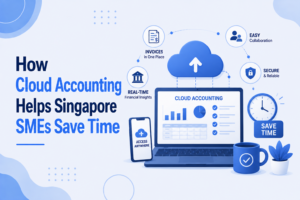
Cloud accounting has changed the way businesses manage their finances. Instead of relying on locally installed software or paper records, cloud accounting allows business owners and their accountants to access financial information securely over the internet.
Beyond convenience, cloud accounting can significantly reduce administrative work and improve the efficiency of day-to-day bookkeeping.
In this article, we’ll explore how cloud accounting helps Singapore SMEs save time and why more businesses are making the switch.
What Is Cloud Accounting?
Cloud accounting refers to accounting software that is hosted online rather than installed on a single computer.
Users can securely access their accounting records through a web browser or mobile app, allowing authorised users to work from virtually anywhere with an internet connection.
Popular cloud accounting platforms offer features such as:
- Bookkeeping
- Bank transaction imports
- Invoice creation
- Expense recording
- Financial dashboards
- Secure document storage
- Multi-user access
Unlike traditional desktop software, cloud accounting keeps data synchronised in real time, allowing everyone involved to work with the latest information.
Why More Singapore SMEs Are Moving to Cloud Accounting
Many SMEs are embracing cloud accounting because it offers greater flexibility and reduces the administrative burden associated with manual bookkeeping.
Instead of waiting until the end of the month to update records, transactions can be recorded throughout the month, helping businesses maintain more organised accounting records.
Cloud accounting also supports remote working, making it easier for business owners and accountants to collaborate regardless of location.
1. Reduces Manual Data Entry
Manual data entry is one of the most time-consuming aspects of bookkeeping.
With cloud accounting software, many routine tasks can be automated, including:
- Importing bank transactions
- Creating recurring invoices
- Recording recurring expenses
- Matching customer payments
- Organising accounting records
By reducing repetitive data entry, business owners spend less time on administration and more time running their business.
2. Access Your Accounting Records Anytime
Traditional accounting software often limits access to a specific computer.
Cloud accounting allows authorised users to view accounting information from:
- The office
- Home
- Customer sites
- Overseas business trips
This flexibility is particularly valuable for business owners who travel frequently or manage multiple locations.
3. Easier Collaboration with Your Accountant
One of the biggest advantages of cloud accounting is improved collaboration.
Instead of emailing backup files or printing reports, your accountant can work directly from the same accounting data.
This means:
- Less duplication of work
- Faster responses to bookkeeping queries
- Reduced file version issues
- More efficient month-end bookkeeping
Because everyone is working from the same set of records, communication becomes much simpler.
4. Faster Bank Reconciliations
Reconciling bank accounts manually can be a lengthy process.
Many cloud accounting platforms allow bank transactions to be imported automatically.
This makes it easier to:
- Match receipts
- Record supplier payments
- Identify missing transactions
- Reconcile accounts more efficiently
Regular reconciliations also help keep accounting records accurate throughout the year.
5. Better Organisation of Supporting Documents
Paper receipts and invoices can quickly become difficult to manage.
Many cloud accounting systems allow users to attach digital copies of supporting documents directly to accounting transactions.
Examples include:
- Supplier invoices
- Expense receipts
- Customer invoices
- Payment confirmations
This creates a centralised digital record that is much easier to retrieve when needed.
6. Fewer Bookkeeping Backlogs
Many SMEs fall behind because bookkeeping is left until the end of the month or quarter.
Cloud accounting encourages more regular updates by making it easier to record transactions as they occur.
Instead of dealing with hundreds of transactions at once, businesses can spread the workload throughout the month.
This helps maintain current accounting records and reduces the pressure of catching up later.
7. Improved Accuracy
Automation helps reduce common bookkeeping mistakes such as:
- Duplicate entries
- Manual calculation errors
- Missing transactions
- Incorrect bank balances
While accounting records should still be reviewed, automation reduces the amount of repetitive manual work that often leads to errors.
8. Supports Business Growth
As a business grows, transaction volumes naturally increase.
Cloud accounting can accommodate this growth more efficiently than manual bookkeeping systems.
Whether your business expands by:
- Hiring more employees
- Opening new locations
- Increasing sales
- Serving more customers
cloud accounting provides a scalable solution that grows alongside your business.
Cloud Accounting vs Traditional Accounting Software
Feature | Traditional Software | Cloud Accounting |
Access | Usually one computer | Accessible from anywhere with internet access |
Data sharing | Manual file transfers | Real-time collaboration |
Software updates | Manual installation | Automatic updates |
Bank transaction imports | Limited or manual | Often automated |
Document storage | Separate folders | Digital attachments within the system |
Multi-user access | Limited | Designed for multiple authorised users |
For many SMEs, cloud accounting offers greater flexibility and efficiency than traditional desktop solutions.
Is Cloud Accounting Suitable for Every Business?
Cloud accounting is suitable for many businesses, including:
- Startups
- Retail businesses
- Professional service firms
- E-commerce businesses
- Consultants
- Trading companies
However, the most suitable accounting system depends on factors such as business size, transaction volume, industry requirements and operational processes.
An accounting professional can help assess which solution best meets your business needs.
Tips for Getting the Most Out of Cloud Accounting
Simply using cloud accounting software is not enough. To maximise its benefits:
- Record transactions regularly.
- Upload supporting documents promptly.
- Reconcile bank accounts every month.
- Keep customer and supplier information up to date.
- Review accounting records periodically for accuracy.
- Grant system access only to authorised users.
- Work closely with your accountant to establish consistent bookkeeping procedures.
Good bookkeeping practices remain essential, regardless of the software you use.
Common Misconceptions About Cloud Accounting
“Cloud accounting is only for large businesses.”
Not true. Many cloud accounting platforms are designed specifically for startups and SMEs, offering scalable features that grow alongside the business.
“It completely replaces my accountant.”
Cloud accounting software automates many bookkeeping tasks, but it does not replace professional expertise.
An accountant helps ensure transactions are correctly recorded, reviews accounting records and provides guidance based on your business’s needs.
“Migration is too complicated.”
Most cloud accounting providers and accounting firms have established processes for migrating existing accounting records, making the transition smoother than many business owners expect.
Conclusion
Cloud accounting has transformed the way Singapore SMEs manage their accounting records. By reducing manual data entry, improving collaboration, automating routine tasks and making financial information accessible from anywhere, it enables business owners to spend less time on administration and more time growing their business.
However, technology is only part of the solution. Accurate accounting records still depend on consistent bookkeeping and professional oversight. Combining cloud accounting software with experienced accounting support allows businesses to enjoy the efficiency of automation while maintaining reliable and well-organised financial records.
How Accounting Consultancy Pte Ltd Can Help
At Accounting Consultancy Pte Ltd, we help Singapore SMEs embrace cloud accounting with confidence. Whether you are moving from spreadsheets, upgrading from desktop software or starting a new business, our team can assist with cloud accounting setup, bookkeeping and ongoing accounting services.
We work with leading cloud accounting platforms to help businesses maintain accurate, organised and up-to-date accounting records while reducing administrative workload. As your business grows, we also provide separate professional services, including financial statement preparation, corporate tax, payroll, GST and company secretarial support, ensuring you have the expertise you need at every stage of your business.
Frequently Asked Questions
Is cloud accounting secure?
Reputable cloud accounting providers invest heavily in security measures, including encryption, secure data centres and user access controls. Businesses should also implement strong passwords and appropriate access permissions.
Can I access my accounting records on my phone?
Most cloud accounting platforms offer mobile apps that allow authorised users to view financial information, create invoices and upload receipts while on the go.
Will cloud accounting save my business time?
For many SMEs, yes. Features such as automated bank transaction imports, digital document storage and real-time collaboration can significantly reduce administrative work.
Do I still need an accountant if I use cloud accounting software?
Yes. Cloud accounting software is a tool that improves efficiency, but professional accountants continue to play an important role in maintaining accurate accounting records and supporting your business’s accounting needs.