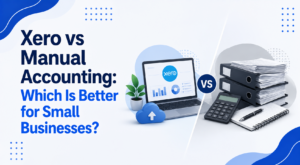
When starting a business, many owners manage their finances using spreadsheets, notebooks or simple desktop programs. This approach may be sufficient when transaction volumes are low, but as the business grows, manual accounting often becomes more time-consuming and difficult to maintain.
Cloud accounting software such as Xero has become increasingly popular among Singapore SMEs because it automates many bookkeeping tasks and makes financial information more accessible.
But does that mean manual accounting is no longer suitable?
The answer depends on the size of your business, the number of transactions you process and how you manage your finances.
In this article, we’ll compare Xero and manual accounting to help you decide which option is right for your business.
What Is Manual Accounting?
Manual accounting refers to recording financial transactions without using cloud accounting software.
This may involve:
- Excel spreadsheets
- Paper-based cash books
- Manual ledgers
- Desktop spreadsheets maintained by the business owner
Every transaction is entered manually, and calculations, reconciliations and record management rely heavily on the person maintaining the books.
Manual accounting can work for businesses with very few transactions, but it often becomes increasingly challenging as operations expand.
What Is Xero?
Xero is a cloud-based accounting software designed to help businesses manage their accounting records more efficiently.
It enables users to:
- Record business transactions
- Create invoices
- Record expenses
- Import bank transactions
- Attach supporting documents
- Access accounting records online
- Collaborate with their accountant
Because Xero is cloud-based, authorised users can access the system securely from almost anywhere with an internet connection.
Xero vs Manual Accounting: A Side-by-Side Comparison
Feature | Manual Accounting | Xero |
Data entry | Entirely manual | Many tasks can be automated |
Access | Usually limited to one computer or paper files | Accessible securely from anywhere |
Bank transaction recording | Manual entry | Bank transaction imports available (subject to your bank’s connectivity and setup) |
Supporting documents | Paper files or separate folders | Digital attachments linked to transactions |
Collaboration | Documents shared manually | Multiple authorised users can work on the same data |
Backup | User-managed | Cloud-hosted with provider-managed infrastructure |
Scalability | Can become difficult as transactions grow | Designed to support growing businesses |
Software updates | Manual (if software-based) | Automatic updates |
Advantages of Manual Accounting
Manual accounting still has a place for certain businesses.
Lower Initial Cost
Businesses using spreadsheets or paper records may not need to pay for accounting software subscriptions.
For startups with very few transactions, this can help minimise costs.
Simple for Very Small Businesses
If your business only issues a handful of invoices each month and has minimal expenses, manual bookkeeping may be manageable.
However, as transaction volumes increase, manual processes often become less efficient.
Greater Familiarity
Some business owners prefer spreadsheets because they are already comfortable using them.
This can make the transition to digital accounting feel unnecessary during the early stages of a business.
Limitations of Manual Accounting
While manual accounting may seem straightforward, it also presents several challenges.
More Time Spent on Data Entry
Every invoice, payment and expense must be entered manually.
As your business grows, this can consume many hours each month.
Increased Risk of Errors
Manual calculations and repetitive data entry increase the likelihood of:
- Duplicate entries
- Incorrect figures
- Missing transactions
- Formula errors in spreadsheets
These mistakes can affect the accuracy of your accounting records.
Difficult to Collaborate
Sharing spreadsheets through email often creates multiple versions of the same file.
This can result in confusion over which version contains the latest information.
Limited Business Visibility
Manual accounting often provides only a historical record of transactions.
It can take additional time to prepare summaries or review financial information.
Advantages of Using Xero
For many SMEs, Xero offers significant efficiency improvements.
Saves Time Through Automation
Xero automates many routine bookkeeping tasks, reducing the amount of manual data entry required.
Examples include:
- Importing bank transactions
- Creating recurring invoices
- Recording recurring bills
- Matching customer payments
This allows business owners to spend less time on administrative work.
Real-Time Access
Because Xero is cloud-based, business owners can access their accounting records whenever they need them.
This is particularly useful for businesses with remote teams or owners who travel frequently.
Easier Collaboration
Your accountant can access the same accounting records without exchanging files.
This helps reduce duplication of work and allows bookkeeping queries to be resolved more efficiently.
Better Document Management
Receipts and invoices can be uploaded and attached directly to transactions.
This reduces paper filing and makes supporting documents easier to retrieve later.
Scales with Your Business
As transaction volumes increase, Xero can continue supporting your accounting needs without requiring a complete change in bookkeeping processes.
Is Xero Always the Better Choice?
Not necessarily.
Manual accounting may still be suitable if your business:
- Has only a small number of transactions each month.
- Operates on a very limited budget.
- Does not yet require cloud-based collaboration.
However, businesses often reach a stage where manual bookkeeping becomes inefficient.
Signs it may be time to switch include:
- Spending too much time updating spreadsheets.
- Increasing transaction volumes.
- Difficulty tracking invoices and expenses.
- Frequent bookkeeping errors.
- Challenges sharing records with your accountant.
Common Misconceptions About Xero
“Xero does everything automatically.”
Xero automates many bookkeeping tasks, but transactions still need to be reviewed and recorded correctly.
Professional oversight remains important to maintain accurate accounting records.
“Only large companies need cloud accounting.”
Many startups and SMEs use Xero because it simplifies bookkeeping from the beginning and grows with the business.
“Switching will disrupt my business.”
Migrating to Xero is often simpler than business owners expect when it is properly planned and supported by an experienced accounting firm.
How to Decide Which Option Is Right for Your Business
Consider the following questions:
- How many transactions does your business process each month?
- How much time do you spend on bookkeeping?
- Do you collaborate regularly with an accountant?
- Do you want to access accounting records from different locations?
- Are spreadsheets becoming difficult to manage?
If your bookkeeping is becoming increasingly time-consuming, cloud accounting may offer significant efficiency improvements.
Conclusion
Both manual accounting and Xero have their place. For businesses with very simple operations and only a handful of transactions, manual bookkeeping may still be sufficient in the early stages.
However, as transaction volumes increase, the limitations of spreadsheets and manual processes become more apparent. Xero offers a more efficient way to manage accounting records by reducing manual work, improving collaboration and providing secure access to financial information from anywhere.
Rather than viewing Xero as a replacement for professional accounting support, it should be seen as a tool that helps businesses maintain more efficient bookkeeping. Combined with experienced accounting services, cloud accounting can help SMEs save time, improve accuracy and build a stronger financial foundation for future growth.
How Accounting Consultancy Pte Ltd Can Help
At Accounting Consultancy Pte Ltd, we help Singapore SMEs make the most of Xero and other cloud accounting solutions. Whether you are moving from spreadsheets, upgrading from another accounting system or setting up Xero for the first time, our team can assist with implementation, bookkeeping and ongoing accounting support.
We work closely with business owners to maintain accurate and organised accounting records using cloud accounting technology. As your business grows, we also provide separate professional services, including financial statement preparation, corporate tax, payroll, GST and company secretarial services, allowing you to access additional expertise whenever you need it.
Frequently Asked Questions
Is Xero suitable for startups?
Yes. Many startups use Xero because it simplifies bookkeeping and can continue supporting the business as it grows.
Can I continue using spreadsheets?
Yes. Some businesses continue using spreadsheets, particularly during their early stages. However, as operations become more complex, spreadsheets may become increasingly difficult to manage.
Does Xero replace my accountant?
No. Xero is an accounting tool that helps streamline bookkeeping. An accountant still plays an important role in maintaining accurate accounting records and ensuring bookkeeping processes remain effective.
Is it difficult to migrate to Xero?
Migration is usually straightforward when planned properly. Many accounting firms can assist with transferring accounting records and setting up the system correctly.